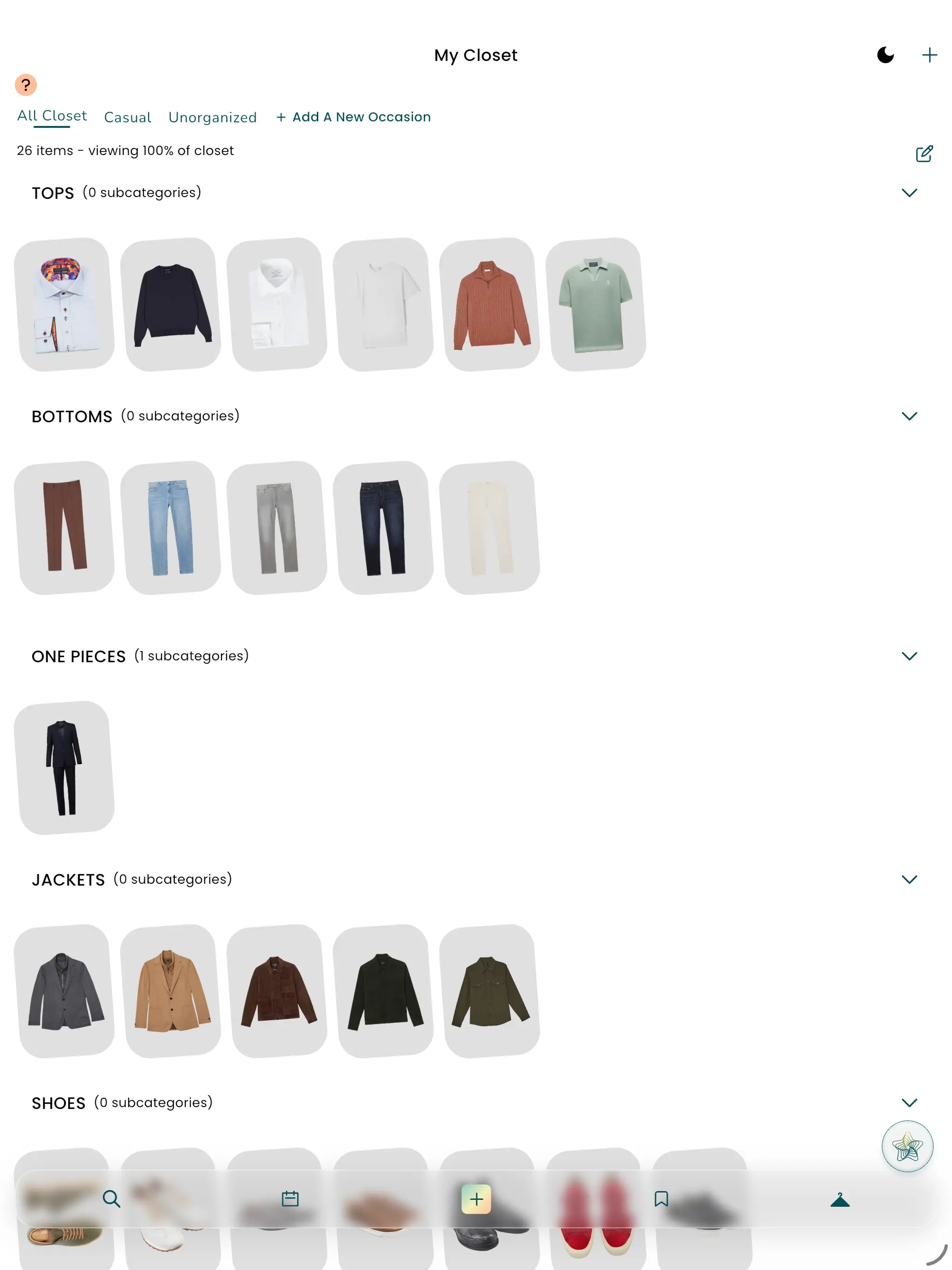
Why Having a Digital Closet Is a Must-Have Lifestyle Improvement
Most of us don’t struggle because we lack clothes — we struggle because we can’t see what we own clearly enough to use it well.
A digital closet turns your wardrobe into something you can search, sort, and actually act on. It’s less about “cataloguing” and more about making everyday life smoother: fewer rushed mornings, fewer duplicate purchases, and fewer “I have nothing to wear” moments (when your closet is literally full).
The lifestyle upgrade: less mental load, more clarity
A digital closet helps with the sneaky stuff that drains time and energy:
- Decision fatigue: fewer minutes spent staring at hangers and hoping inspiration strikes
- Wasted spend: fewer accidental duplicates (“another black tee… why?”)
- Unworn items: you start noticing what’s underused and why
- Better packing: you can build trip outfits from what you already have
- More consistent personal style: you see your patterns and can refine them
When you can quickly answer “what do I own that fits today?”, getting dressed stops feeling like work.
Better outfits: the underrated benefit of a digital closet
Here’s where it gets good: a digital closet doesn’t just store clothing — it can help you combine it.
When your closet items are organized properly, outfit suggestions get dramatically more useful because the system understands: - what the item is (Category) - where/when you’d wear it (Occasion)
In Pronti, these two details are the highest-impact levers for improving outfit recommendations: - Category (Top, Bottom, One Piece, Jacket, Accessories, Shoes) - Occasion (how you actually use the item in real life)
This is why “uploading more” isn’t the whole story — clean organization is what turns “random outfits” into “that actually works for me.”
How to organize your digital closet in ~10 minutes
You don’t need perfection. You need the high-impact fixes.
1) Start in your Closet
Open the Closet (hanger icon) and pick a small chunk of items to tidy first — ideally your most worn pieces.
View the Tutorial
2) Use Group Organize (don’t edit one-by-one)
If you have more than a few items, the fastest way to improve your closet is Group Organize — update many items at once.
View the Tutorial
3) Fix Category first (fast + objective)
Category mistakes are the #1 reason outfit suggestions can feel “off.” Quick sweep: - Dresses / jumpsuits → One Piece - Blazers / coats → Jacket - Bags / jewelry / scarves → Accessories - Sneakers / heels / boots → Shoes
4) Tag Occasion second (this is the personalization layer)
Occasion makes recommendations feel like you — not generic styling advice.
Start with 2–4 occasions you genuinely live in: - Work - Casual - Going Out - Formal - Travel / Vacation - Active
You can also create custom occasions (because real life doesn’t fit retail labels).
View the Occasion tutorial
Common mistakes (and how to fix them quickly)
Mistake: everything is tagged “Casual”
If everything is the same, recommendations blur together.
Fix: tag your top 20 most-worn items with more specific occasions (even just Work vs Weekend).
Mistake: category errors
A dress tagged as a Top breaks outfit structure.
Fix: do a “category sweep” first using Group Organize.
Mistake: organizing like a store, not like a person
Retail categories don’t match your calendar.
Fix: create occasions that reflect your life (e.g., “School Run,” “Client Day,” “Dinner,” “Weekend Easy”).
Quick FAQ
Do I need to upload my whole closet for this to work?
No. Start with your most-worn pieces. You’ll get value immediately and can add over time.
What’s the fastest way to edit a lot of items?
Use Group Organize to update multiple items at once.
Tutorial: https://www.pronti.com/tutorial/organizing-your-closet-items/
Why do Category and Occasion matter so much?
Because they tell the system what an item is and how you use it — which is exactly what’s needed for better outfit recommendations.
Next step
If you do one thing today: open your closet and clean up Category + Occasion for your top 20 items.
It’s the smallest effort with the biggest payoff — and it’s the moment your digital closet starts feeling like a real lifestyle upgrade.
Download Pronti and start dressing smarter today.
Want to explore more? Read our full breakdown:
Outfit Generator: The Only Outfit Maker App You Need
Squish Outfit Stress with our
Top Outfit Hacks
Download our tips for getting ready smoother